
261 Broad Street
Windsor, CT 06095
(860) 285-0172
support@invisiblegold.com
Your Website Should Be Easy to Edit
Windsor, CT 06095
(860) 285-0172
support@invisiblegold.com
Your Website Should Be Easy to Edit
Creating Invisible Gold Powered Websites
On the other hand, it assumes at least a basic comfort with modifying the source code of an HTML page. Creating a site involves adding special tags and transferring files to and from the server. The benefit of building Invisible Gold powered sites is that it puts clients in control of their own content. It frees you to work with other clients or build larger, more powerful sites. Second, it allows you to focus on design and marketing. |

| ||||
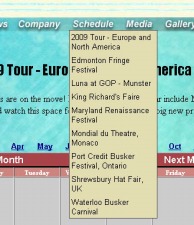
This tip extends the normal drop down menu technique to include upcoming calendar events. | ||||
| ||||
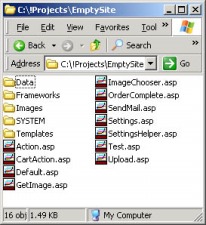
Creating Invisible Gold powered sites is quite different than a plain HTML sites. There is a strong separation of Content, Code, and Design. This means that... | Creating sites usually involves uploading them to the server, or perhaps making changes right to the files themselves. There are a few things you should know first. | |||
A Framework defines the "look" of an Invisible Gold powered site. There can be several, and it makes sense to evolve the Frameworks over time. Each page can have its own, or inherit the one from its parent. If none are chosen, one in a directory called "default" is used. | The entire Invisible Gold system is built using XML and XSL. This is a technology that works very similarly to databases. (Actually modern databases all are moving toward outputting XML.)... | |||
| ||||
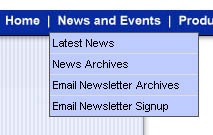
This is a good tip for database backed sites for search engine optimization. | It's inevitable, not long after you created your first site, you dabbled (or will dabble) with drop down menus. They look slick, most of the big sites have them, and they're very effective at organizing sites with more than 10-15 pages. | |||
A GetHTML tag is always replaced by some HTML. You can put these into Content of a page, a Framework, or a Custom Template. |
See Also:
| Online Documentation Home, Online Documentation, Creating Invisible Gold Powered Websites |
Invisible Gold, LLC was founded in 2001 as a web design and internet software company. The owner, John Waiveris, wanted to enable people to manage their own websites. John is active in the Windsor community and the Invisible Gold website software is used daily by 600 businesses.
Latest News
- Website Performance TestingTwo tools for testing website speed
- Meta Tags vs. Keywords: Your Site's Visibility
- Don't Get Tricked By "Domain Registry of America"The Domain Registry of America has recently sent out a countless number of letters and emails in a campaign to get you to switch to their domain registry service by using language that suggests that your domain will expire, and that in order to prevent losing it, you must register with their company. The email is disingenuous at best and fraud at its worst.
Contact Us
Windsor, CT 06095
(860) 285-0172
support@invisiblegold.com
Your Website Should Be Easy to Edit
2026 © All Rights Reserved. Terms of Service