
261 Broad Street
Windsor, CT 06095
(860) 285-0172
support@invisiblegold.com
Your Website Should Be Easy to Edit
Windsor, CT 06095
(860) 285-0172
support@invisiblegold.com
Your Website Should Be Easy to Edit
Setting up a new server
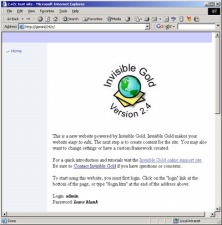
There are three main aspects to getting a new site running. First you need to download and install the core components. These will come as a file such as IG242Inst.zip. Contact us for the latest version. Next, unzip this file onto a suitable location such as your desktop. It should contain two directories and a readme file. The first directory contains the core system that needs to be installed. Simply open the directory and click install.bat. Note: this will shutdown IIS for a few seconds. The second directory contains an empty website. Follow the instructions in the readme file to get this site running. There are about 6 steps and it should take less than 10 minutes. |
See Also:
Keywords:
| Hosting |
Invisible Gold, LLC was founded in 2001 as a web design and internet software company. The owner, John Waiveris, wanted to enable people to manage their own websites. John is active in the Windsor community and the Invisible Gold website software is used daily by 600 businesses.
Latest News
- Website Performance TestingTwo tools for testing website speed
- Meta Tags vs. Keywords: Your Site's Visibility
- Don't Get Tricked By "Domain Registry of America"The Domain Registry of America has recently sent out a countless number of letters and emails in a campaign to get you to switch to their domain registry service by using language that suggests that your domain will expire, and that in order to prevent losing it, you must register with their company. The email is disingenuous at best and fraud at its worst.
Contact Us
Windsor, CT 06095
(860) 285-0172
support@invisiblegold.com
Your Website Should Be Easy to Edit
2026 © All Rights Reserved. Terms of Service